Skip to content- Familiarize with the branding of every client
- Every client has a brand guideline document (Dropbox + Drive)
- Normally it's just a PDF of brand colours
- Technical editing
- Caption styles
- Naming convention
- Dropbox navigation
Content Planners
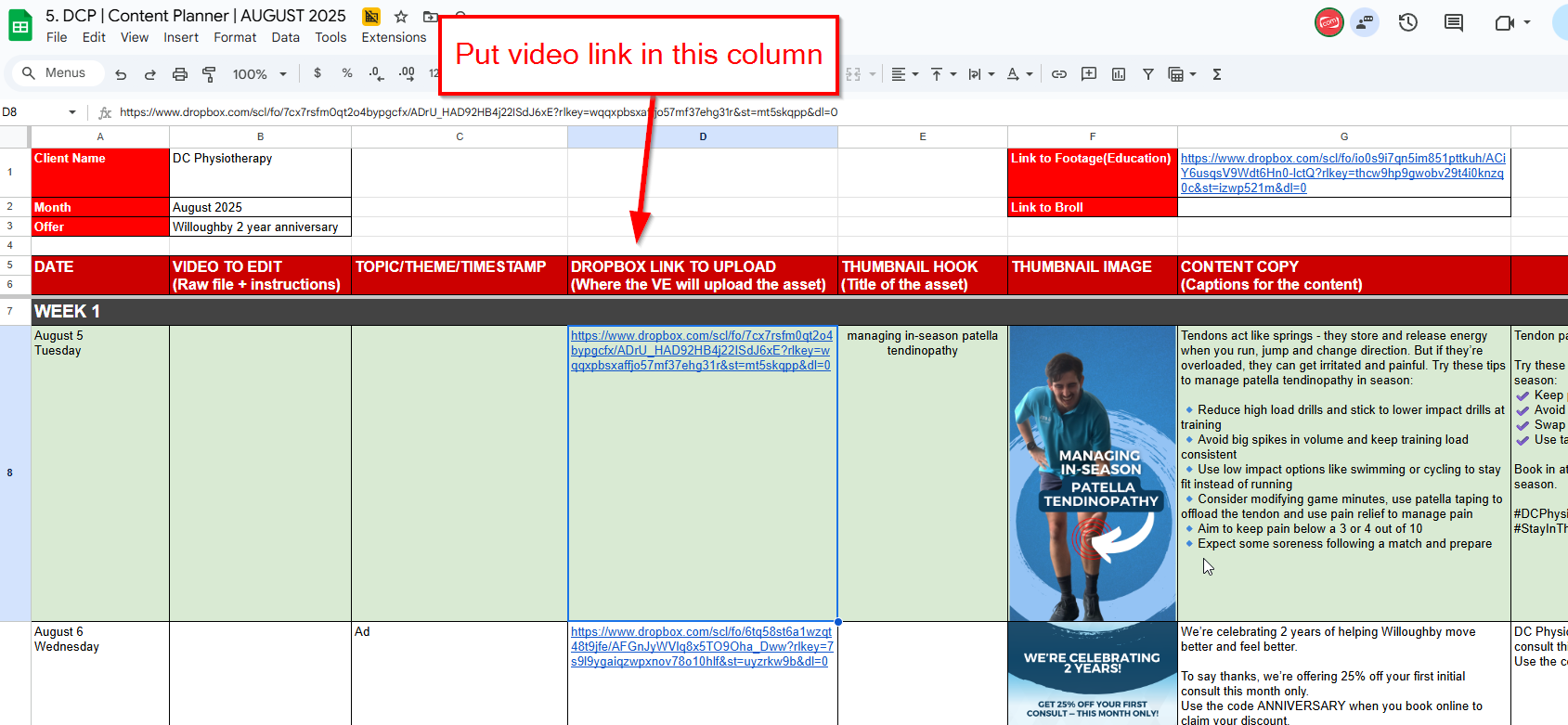
- We use content planners for to edit content
- Example content planner - LINK
- Once a month, the content manager gives us a content planner which plans out the content we need to edit, and we follow the instructions and then we can edit for the client
- There's 2 content Planners
- #1 - Master Planner
- This contains all content we need to make for the client before we send it out to the client
- #2 - Monthly Planner
- Once we approve internally, it gets moved into the Monthly Planner and we send to the client
- Client provides revision requests inside the Monthly Planner
- And you'd make edits based on client feedback in the Monthly Planner
- Details → Content Planner
Bitwarden - Password Logins
- We log into various accounts (capcut, canva, dropbox) using Bitwarden
- Check out this to get access to Bitwarden and know how to use it → Bitwarden + 2FA
- Ask Cristine for access to Bitwarden
Dropbox - RAW/Edited Assets
- Familiarity of Dropbox Contents
- Most of the time, All of the assets needed during video editing is in Dropbox
- Download Video and Photo Assets from Dropbox to use for editing videos
- After Editing, Upload Exported Videos to it's designated folder (Indicated on content planner)
- Inside the content planner - there is a row that tells you where to upload the completed video
Capcut - Editing Videos
- We only use Capcut to edit videos
- We all share one capcut login
- Login details is inside Bitwarden
- All videos are edited inside our shared Capcut account
- Details on Capcut → Capcut
Canva - Making Thumbnails
- We use Canva to create video thumbnails
- Canva login is inside Bitwarden
- Details on Canva → Canva